
What Is Tinder?
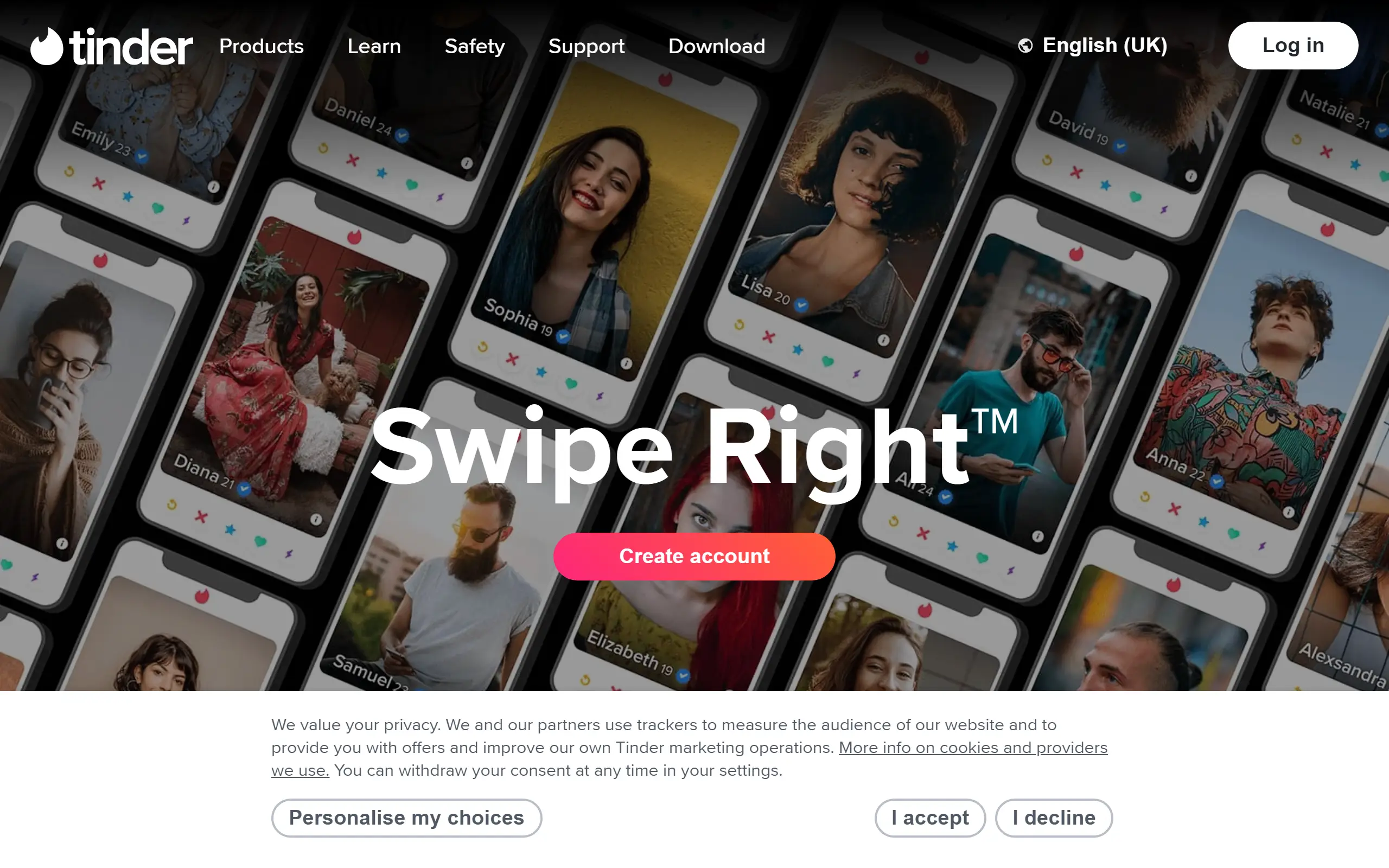
Undeniably, Tinder is the most popular free dating app around. Just about anyone will recognize the Tinder logo flame emoji. Since 2012 it’s revolutionised dating with its gamified swipe-style of matching users based on location. The best part of the Tinder app is probably that anyone can use it completely free and still have success after matching success. The available subscriptions add premium features that only increase your overall experience on the app.
Our Tinder review will not only cover the basics of how to use the app to find matches, but we dive deep into each feature and how you can use these to optimize your chances. We’ll discuss all you need to know about what is included in a free account and how much it costs to upgrade. In the end, you’ll know what to expect to find as well as what you’ll need to look out for on Tinder. So let’s swipe right on love and see what the Tinder dating app is all about.
Pros
An interface that’s designed to be simple yet colorful (it’s not only user-friendly but fun to use too)
Over 76 million monthly users and a total of 65 billion matches worldwide (The largest pool of potential matches increases your chance of finding someone compatible in your area)
Unlimited free messaging (as long as you match with someone you can message as much as you like at no cost)
Heightened safety measures compared to other dating apps (features like photo verification help to ensure you only swipe right on real people)
Location prioritized matching (you’ll only find people close enough to meet up with)
Cons
Looks-first style of dating (Tinder profiles are often judged purely on the first photo making it difficult to make real connections beyond physical attraction)
Tinder has become synonymous with being a hookup app
Fake profiles (the amount of fake and empty profiles can make it difficult to distinguish between who is real and who isn’t)
Limited swipes for free accounts (free users will only get a set amount each day forcing them to restrict how active they are on Tinder)
Login Process
Most people download Tinder from their preferred app store and use it on their mobile devices. But popping Tinder.com into your web browser works just as well for anyone who might prefer the dating site version. Creating your account will follow the same procedure no matter which version you decide to use. So your first step will be to choose where you’ll be doing your dating.
You can log in through your Apple, Facebook, or Google account, or simply via your mobile number. No matter which way you decide it won’t take more than a few minutes to complete. Since there are no Tinder search features, be sure to provide as much information for the algorithm to do its magic. Logging in with your mobile number will require the following steps:
Your mobile number
The security code sent to your number
Your email address
The security code sent to your email
First name (This is the name that will show on your profile)
Date of birth
Your gender (Any gender can be specified but you have to choose whether to be shown in searches for either men or women)
Your sexual orientation* (Choose up to 3 of the 9 options from Straight to Questioning)
What gender do you want to match with (Women, Men, or Everyone)
Maximum search distance (2 - 160km)
What relationship you are looking for (long-term, short-term, new friends, and still figuring it out)
Your school or university*
How often do you drink and smoke*
Whether you exercise and how often*
Your communication style*
Your love language*
Education level*
Star sign*
Select up to five interests* (there are many options ranging from “Meditation” to “K-pop”)
Add up to 6 photos (A minimum of 2 is required)
Allow location settings
Turn on notifications
*These steps can all be skipped for now if you are in a rush to get your Tinder profile created.
When all is done you’ll be taken through a quick tutorial on how to use the app. The tutorial will go over where to click to use certain features and which way to swipe to either like or pass on someone’s profile. But you can skip this if the mechanic of swiping right is already second nature to you.
Profile Completion
If you didn’t skip any of the sign up steps, then your Tinder profile will be filled enough for most. The information you’ve already provided will populate your profile and you can start swiping. But there is still a lot more that you can add to let your personality shine on Tinder. Click on the pencil emoji that’s on your profile photo to edit your page by adding more information. Here are all the profile fields that you can still fill in:
Add up to three prompts with answers
Your height
Languages that you know
Do you want children
Your vaccination status
Tinder personality types (based on the Meyer-Briggs model)
If you have pets
Dietary preferences
How active are you on social media
What are your sleeping habits
What are you like when you go out
What do your weekends generally look like
How quickly do you generally reply to messages
Your job title
The company you work for
The city you currently live in
Connect your Instagram and Spotify
Choose a Spotify anthem
Since the Tinder app is also a part of the Match Group, you’ll notice that a lot of the profile fields (like the prompts) have a very similar feel to Hinge. There’s nothing that stands out as being exclusively Tinder, but everything on your profile is designed to show other Tinder users exactly who you are.
User Account Quality
Tinder makes it impossible for anyone to have a blank profile. Members are obligated to add at least 2 photos before they can complete their Tinder profile. That being said, a lot of profiles don’t have a Tinder bio and will only have photos of random objects or even just memes so you don’t always get to see who is on the other side of the screen.
While most profiles do seem legitimate, with such a massive user base it is easy for a few fake accounts to slip through. The ‘food digging’ phenomenon has recently come to light where restaurants use Tinder for marketing purposes. Restaurants posing as men will match with emotionally vulnerable women and set up fake dates at their establishments. When these daters end up getting ghosted they are more likely to still order food since they are already there. This is a sneaky way that restaurants increase their profits so Tinder users need to get a bit more savvy with first dates.
Dating Features
Swipe
The gamified way of scrolling through a profile stack and having to swipe right to “Like” someone and swipe left to say “Nope” was first introduced by Tinder in 2012. And it’s taken online dating by storm. These days swiping right is synonymous with liking someone on just about any dating app. It is the backbone of Tinder and the addition of extra features make it even more engaging and somewhat addictive too.
When you’ve liked a profile and they’ve liked you back you have a match and can start messaging each other. This feature is free for any Tinder user, but it’s up to chance and the algorithm determines whether your profile will even be shown to the other person. Tinder Platinum members get the bonus of their likes taking priority. Sending a priority Like or Super Like will put your profile higher up on the profile stack of your potential match to increase the chance of your profile being seen.
Super Likes
When a normal Like is just not enough, clicking on the blue star and sending a Tinder Super Like is how you let a potential match know just how much they stand out. If you send someone a Super Like your profile will also get prioritized on their stack, and it will be highlighted when you are shown to them. If they like you back then it's a match.
Tinder Gold and Tinder Platinum subscribers get 5 free super likes each week. Super Likes can also have a message up to 140 characters long attached to it so this is also a great way for you to send a message to someone before matching with them.
Boost
Boosts are one of the best ways to increase your chances of finding a match. Apart from having a stellar and eye-catching profile of course. When a Boost is active your Tinder profile will be one of the top profiles in your area for 30 minutes. Being more visible can get you up to 10 times more profile views according to Tinder.
To activate a Boost simply tap the purple lightning bolt icon on the main screen. If you are out of Boosts you’ll get redirected to purchase more. Gold and Platinum members will get one free boost per month. The best time to use a boost is between 6 and 10 pm when Tinder is most active.
TIP: Tinder activity peaks at 9 pm so starting a Boost just before then can help maximize its effectiveness.
Top Picks
The Top Picks feature highlights the Tinder profiles that are most swipe-worthy. All users have access to their Top Picks, but free members will only see up to 10 profiles at a time and will only get to swipe right on one Top Pick per day. Paying users can see all their Top Picks and can purchase more of them to swipe right on. Top Picks refresh every 24 hours to show a new batch of profiles. You can also combine this with the Passport feature to see your Top Picks from around the world.
Passport
Have you run out of matches in your area? Well, you can explore anywhere else in the world with the Passport feature. Simply search any city or drop a pin on the map and start swiping through Tinder profiles from that area. You can navigate between your chosen new location and your current location to match and chat with twice as many people at once.
You can virtually only be in one city at a time but can change locations as much as you like. Anyone you’ve liked while using this feature will see your profile for up to 24 hours after you change locations. Passport is only available for Tinder subscribers (Plus, Gold, and Platinum).
Rewinds
We’ve all been there, you went down a swipe spiral but went too fast and accidentally passed on someone you wanted to get to know (or the other way around). The Rewind option will let you take back that last swipe. This goes for Nopes, Likes, and Super Likes.
You don’t need to lose anyone in the depths of the Tinder universe anymore. Simply tap on the yellow arrow on the left side of the main screen to rewind your last move. Rewinds are unlimited but only available to Tinder subscribers (Plus, Gold, and Platinum).
Incognito
The Tinder app is not designed to be discreet and everything you post will be public for everyone else to see. But if you prefer to keep a low profile you’ll be able to hide your presence by activating the Incognito mode from your Settings page. When you are Incognito, only the Tinder users that you’ve liked will be able to see your profile in their stack. This is only available to Tinder subscribers (Plus, Gold, and Platinum).
TIP: To stay extra discreet, you can also individually block anyone on your mobile contacts list from seeing you on Tinder. This can be done under ‘Connections’ on your Settings page.
Prices & Costs
The Tinder app can be used completely free, and many have found a lot of success without the need to pay a cent. Free Tinder users can swipe, match, and message other users. But Tinder does offer subscription options and paid-for premium features to increase the overall dating experience on the app.
Free accounts are limited to seeing a maximum of 10 Top Picks (out of which you can only swipe right on one) and 100 likes per day. To swipe and possibly match more, you will have to subscribe to one of the three available subscriptions. Tinder Plus, Gold, and Platinum each come, in that order, with more features than the subscription before, but having more premium features comes at an increased cost.
Tinder also offers an elite $499 per month SELECT subscription. This is an exclusive service reserved only for those who match the required criteria and are approved to sign up. But as it stands, Tinder has limited availability and not all users will even be able to apply to get SELECT access.
Tinder Subscription Options
Plan | Duration | Cost |
Tinder Plus | 1 Month | $7.99 |
6 Months | $24.00 | |
12 Months | $32.00 | |
Tinder Gold | 1 Month | $24.99 |
6 Months | $75.00 | |
12 Months | $100.00 | |
Tinder Platinum | 1 Month | $29.99 |
6 Months | $90.00 | |
12 Months | $120.00 |
Tinder Subscription Perks
Tinder Plus | Tinder Gold | Tinder Platinum | |
Unlimited Likes | ✔️ | ✔️ | ✔️ |
Unlimited Rewinds | ✔️ | ✔️ | ✔️ |
Tinder Passport | ✔️ | ✔️ | ✔️ |
Profile control | ✔️ | ✔️ | ✔️ |
Control who sees you | ✔️ | ✔️ | ✔️ |
Control who you see | ✔️ | ✔️ | ✔️ |
Hide ads | ✔️ | ✔️ | ✔️ |
See who likes you | ✔️ | ✔️ | |
1 free Boost per month* | ✔️ | ✔️ | |
5 free Super Likes per week* | ✔️ | ✔️ | |
Extended Top Picks | ✔️ | ✔️ | |
Priority Likes | ✔️ | ||
Message before matching | ✔️ |
*The free monthly Boost is only available with subscriptions of 1 month or longer. Super Likes and Boosts expire if not used.
Tinder also makes it possible for members to buy Boosts as a once-off purchase. This is great for free users who don’t feel like coughing up the price of a Gold or Platinum membership and for paid members who want multiple Boosts each month. The more Boosts you purchase at one time the cheaper the cost works out for each Boost. Super Likes can also be topped up, but only if you are already a Gold or Platinum member.
Boost Cost
Amount | Cost |
1 Boost | $7.99 |
5 Boosts | $35.00 |
10 Boosts | $60.00 |
How Safe Is Tinder?
Use of Personal Information
As an extremely popular dating platform, Tinder has to prioritize security. They mention being dedicated not only to safeguarding user privacy and security but also to ensuring transparency about their practices. This commitment is evident in the clear and easily understandable format that their Privacy Policy and Terms of Service is set out.
Tinder gathers a comprehensive amount of user data, including details provided on profiles, payment information, conversations, and more. This includes data that are received from various sources, such as user reports, shared social media, and partnerships with Match Group affiliate sites and other collaborators.
Additionally, the app automatically generates data such as device information, cookies, geolocation, and facial geometric data. Given Tinder's affiliation with the Match Group, this information may be shared with other affiliated sites when necessary. The main purposes of the collected data are to enhance that app’s service delivery, to ensure safety, and to deliver targeted ads.
NOTE: 2020 saw the only reported hack in the history of Tinder data when 70,000 pictures from the app were appropriated by Black hat hackers.
Third-Party Involvement
Tinder, like many modern dating platforms, includes third-party ads within its app. Users are responsible for deciding whether to navigate to external websites or resources through these third-party links. Some personal information may also be shared with third-party service providers and partners to support Tinder's operational functions, including data hosting, analytics, customer support, marketing, advertising, payment processing, and security.
Tinder prioritizes the safety of its members' information, ensuring that only essential data is shared with vendors in a format not easily readable by humans. Before partnering with any vendors, Tinder conducts thorough vetting processes, and selected partners must adhere to stringent confidentiality standards outlined by Tinder.
Fake Tinder Profiles
These days almost no dating site is without a few fake profiles, and you should always keep an eye out and follow general online dating safety guidelines. Tinder does however do what it can to make it as difficult as possible for fake accounts to be created.
Firstly, to sign on, any member will need a double verification which is done not only via email but also through a phone number. It is good to know that neither temporary emails nor numbers seem to work when creating an account and these credentials need to be legitimate. Secondly, Tinder also uses real-time 3D facial recognition to do photo verifications. This ensures that anyone with a blue tick on their profile is at least who they portray themselves to be in their photos. Whether they have good intentions for being online is always up for debate no matter who you meet online. But in general, you should feel a bit more secure when someone has a blue tick next to their name. Just keep a very close eye out for those ‘food digging’ profiles.
TIP: Get more Tinder support by clicking the shield on your profile. You’ll find a large selection of safety guides, tools, and resources to help you have the safest dating experience possible on and off the app.
Final Thoughts
Tinder is a dating smorgasbord with all that it offers. Whether you are looking for new friends, true love, or even just a quick Tinder hookup then this is the app to find it. The matchmaking location-based algorithm will make it as easy as possible to connect with like-minded locals. And the best part is you won’t need to pay a cent if you don’t want to (very unlike many other dating platforms these days).
The best chance of success you’ll have is to become a Tinder Platinum subscriber. You’ll have every single feature at your fingertips. Being able to message someone with your sweet rizz before even matching can be second to none in catching someone’s attention. But this does come at a steep price which starts at $120.00.
While Tinder might have some similarities with other dating apps and sites, this is only because it has become the original blueprint that a lot of other less user-friendly and much less popular platforms have attempted to copy. The closest thing to Tinder would be Hinge, but Hinge caters exclusively to meet people who are looking for long-term partners. Tinder is far more fun and feels a bit less solemn, to be honest. And Tinder’s user base is also over 3 times larger, so theoretically you’ll be three times more likely to find a Tinder date than a Hinge date. You can’t argue with good maths.
FAQ
How Does Tinder Work To Verify Users?
Verification is done in a few ways. Firstly a Tinder user will have to be verified by their phone number and email address to use the app. Optionally, Tinder profiles can be verified through photo verification to receive a badge on their profile. This requires a user to take a video selfie that has to pass both a Liveness Check and 3D Face Authentication.
How Many Likes Do You Get On Tinder Every Day?
As a free user, you’ll be able to send up to 100 likes in 12 hours for a given day. However it has been noted that the algorithm can cap this at a lower number for some. As a subscribed Tinder user you’ll have unlimited likes.
How To Unmatch On Tinder If We Don’t Vibe?
Go to your Messages page and click on the profile of the person you want to unmatch with. Scroll down to the bottom of their Tinder profile and click the ‘Unmatch’ button.
Is Tinder Free To Use?
Yes! You can use Tinder to swipe, match, and message other Tinder members at no cost.
Is Tinder Gold Worth It?
If you find the perks that come with the subscription useful and worth the price it definitely can be worth it. The Gold Subscription is the best balance of getting enough of the best Tinder features without breaking the bank.
How To Cancel Tinder Gold?
You can cancel a Tinder subscription in different ways, and these will depend on the device you are using.
On iOS:
Go to your iPhone settings
Click on your Apple account and select Subscriptions
Select the subscription you’d like to cancel
Click Cancel Subscription
On Android:
Open the Google Play app
Click the profile icon at the top right of the screen
Go to Payments & subscription and select Subscriptions
Select the plan you’d like to cancel
Click Cancel Subscription
On Tinder.com:
Sign in to your account on tinder.com
Click on your profile icon
Select Manage Payment Account
Select the subscription you’d like to cancel
Click Cancel Subscription
How To Delete Tinder Account For Good?
To delete Tinder account simply Log into your account through tinder.com or via the mobile app. Go to your profile and click on the gear icon in the top right of the screen to open your settings. Scroll to the very bottom of the settings page and click the ‘Delete account’ button. Click ‘Delete my account’ to confirm your choice.